

AI Knowledge Base & Enterprise Search
An AI knowledge base that answers from your own documents — and cites them.
An AI knowledge base built with retrieval-augmented generation (RAG) lets your teams query enterprise knowledge in plain language, limited to what each person is permitted to see. Break down data silos without moving your content.
What a knowledge system connects to
Sources
- SharePoint, Confluence and Google Drive
- Wikis, manuals and past tickets
The system
- Indexes content as embeddings
- Retrieves only documents the user may read
- Answers with citations
Where people ask
- A web interface, Slack or Microsoft Teams
Illustrative. Sources and permissions follow your directory.
A request arrives
SharePoint, Confluence and Google Drive
The AI reads it
Indexes content as embeddings
The AI drafts the action
Retrieves only documents the user may read
A person approves
Answers are grounded in retrieved documents and cite them, so users can check the source.
The operational problem
The cost of scattered enterprise knowledge
Employees spend a large part of their week searching across SharePoint, Confluence, Google Drive and internal wikis just to find basic information. That friction slows decisions, onboarding and customer support across every team that depends on it.
Where it breaks down
- 01Fragmented data scattered across dozens of disconnected platforms
- 02Keyword search failing to understand intent or context
- 03Employees making decisions based on outdated or inaccurate information
How it works
How we build an enterprise knowledge system, from scattered sources to cited answers.
- 01
Data ingestion and indexing
Connect to your data sources and convert documents into vector embeddings.
- 02
RAG architecture setup
Implement retrieval-augmented generation so the model answers from your own content.
- 03
Security and permissions integration
Map existing directory (e.g. Azure AD) permissions to the search index.
- 04
Interface deployment
Deploy chat interfaces on the web, in Slack or in Microsoft Teams.
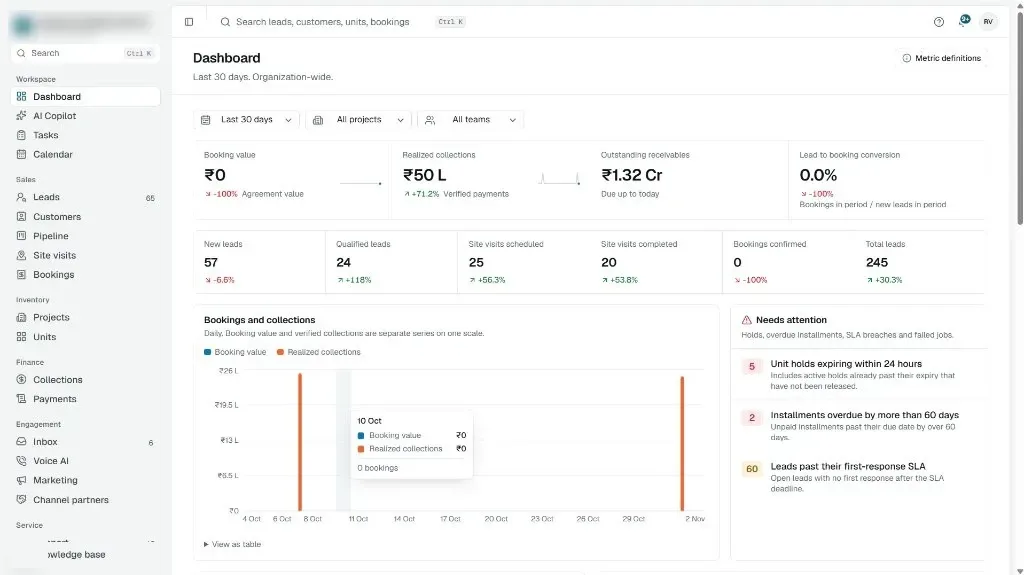
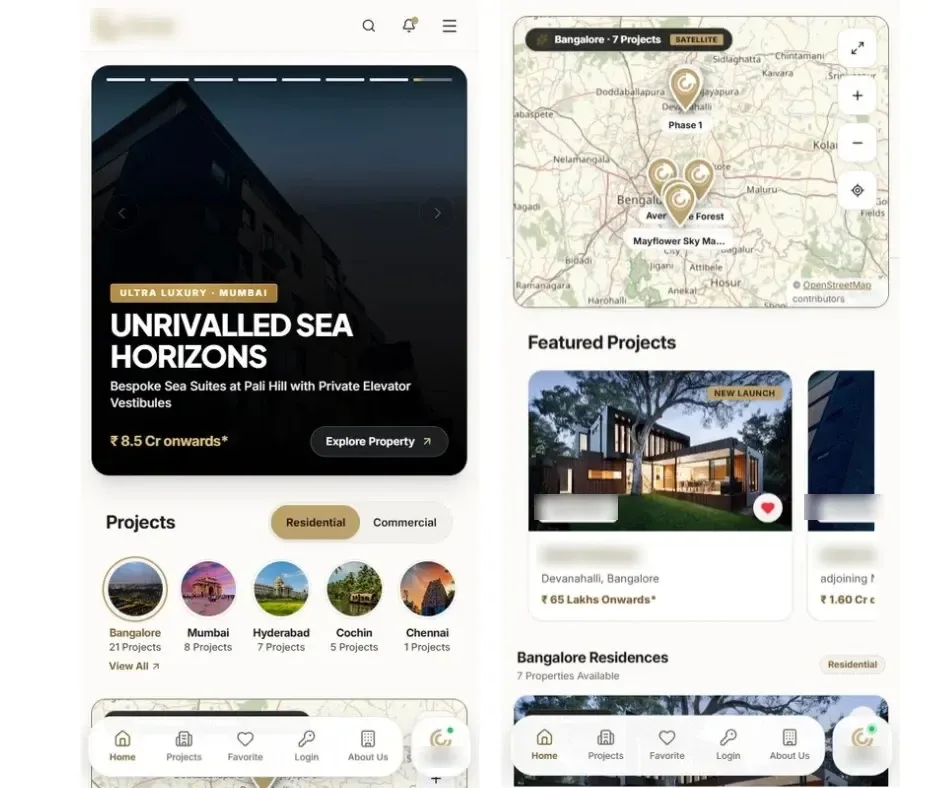
From the portfolio
What it looks like in a client project.
Screens from systems we built and run. Details are anonymised.
Capabilities
Enterprise search with answers you can check.
Semantic understanding
Search by meaning and intent, not just exact keyword matches.
Cited answers
Every answer links to the source documents it was drawn from.
Permission-aware access
People only get answers derived from documents they have permission to view.
What we deliver
Scope is agreed per engagement. These are the components a typical build includes.
- Vector database architecture and setup
- Multi-source data connectors
- Custom RAG pipeline
- Access-control (ACL) mapping to your directory
- Custom chat UI and Slack or Teams bots
Integration & implementation
Knowledge management connected to the tools you already use.
We connect through the APIs, webhooks and identity controls you already have, and agree data handling with your team before anything is built.
Your systems
- Microsoft 365 / SharePoint
- Jira / Confluence
- Google Workspace
- Notion
- Slack
- Microsoft Teams
- PostgreSQL
Fortiv layer
- Indexes content as embeddings
- Retrieves only documents the user may read
- Answers with citations
Low-confidence cases go to a person
What comes back
- A web interface, Slack or Microsoft Teams
Systems are examples, not a fixed list.
Human review
Answers are grounded in retrieved documents and cite them, so users can check the source. When the documents don't contain an answer, the system is instructed to say so rather than guess. Content owners can review answers users flag.
Security and data handling
Access follows your existing permissions, actions are logged, and hosting, model providers and data retention are agreed with your security team — we work within your requirements. How we approach security
Industry applications
Where it applies.
Typical applications. Each is scoped against the workflows and systems of the organisation in question.
Professional services
Lawyers and consultants querying repositories of past matters and reports.
Manufacturing & engineering
Engineers querying technical manuals, CAD metadata and maintenance logs.
Industry overview
Customer support
Agents querying internal wikis to resolve complex customer issues.
In practice
Measurement
What we measure.
We record a baseline for each of these before go-live and report against it. We don't quote results before we have seen your workflow and data.
Time to find information
How long common questions take to answer, before and after.
Answer usefulness
Ratings from the people using the system, reviewed with content owners.
Citation coverage
Share of answers supported by a cited source document.
Onboarding time
How quickly new joiners get to working answers.
Questions
AI Knowledge Base & Enterprise Search: frequently asked questions
Something not covered here? Contact us.
An AI knowledge base lets people ask questions in plain language and get answers drawn from your own documents, with links to the sources. It indexes content from tools such as SharePoint, Confluence and Google Drive, retrieves the passages relevant to each question and uses a language model to write a cited answer.
We use retrieval-augmented generation (RAG). The model is instructed to answer only from the documents retrieved for that question, and to cite them, so every answer can be checked. If the answer is not in your documents, it is instructed to say it doesn't know. Flagged answers go to content owners for review.
Security is built in at the retrieval step. When someone asks a question, the system checks their identity against your directory, for example Azure AD. The search only retrieves documents that person is already allowed to read, so answers never draw on content they could not open themselves.
Traditional enterprise knowledge management depends on people tagging content and searching by keyword. An AI knowledge base searches by meaning, so a question finds the right passage even when the wording differs. Your content stays where it is; the system indexes it and keeps the index in step as documents change.
Yes. Multilingual embeddings capture meaning across languages. A person can ask a question in English, and the system can retrieve a relevant document written in Hindi, Arabic or Japanese and answer in English, citing the original. We test retrieval quality in each language your teams use before go-live.
Cost depends on the number of sources, the volume of content, the permission model and where people will ask questions. We agree scope after discovery and usually start with a pilot for one team and a defined set of sources, measured on answer usefulness and time to find information against your baseline.
Data & intelligence
Related solutions
- Intelligent document processingIntelligent document processing that turns invoices, contracts and forms into checked, structured records, with confidence scoring and review.
- Predictive analytics servicesPredictive analytics services that build forecasting and risk models on your ERP, CRM and operational history, monitored for drift.
- AI executive dashboardsAI executive dashboards that show what your AI systems are doing, what they cost and how they perform against baseline.
- All solutions
Further reading
- Use case · HealthcareAI Clinical Protocol & Hospital SOP Knowledge Retrieval
- Use case · HospitalityAI Hotel Concierge on WhatsApp: Multi-Lingual Guest Service & Dispatch
- Use case · Law FirmsSemantic Case Law & Litigation Brief Retrieval: AI Legal Search
- Business functionAI in Customer Service & Support Operations
- Business functionAI in Employee Onboarding & Workplace Setup
- ArticleAI Document Processing for Manufacturers: From Paper Records to Searchable Quality Data